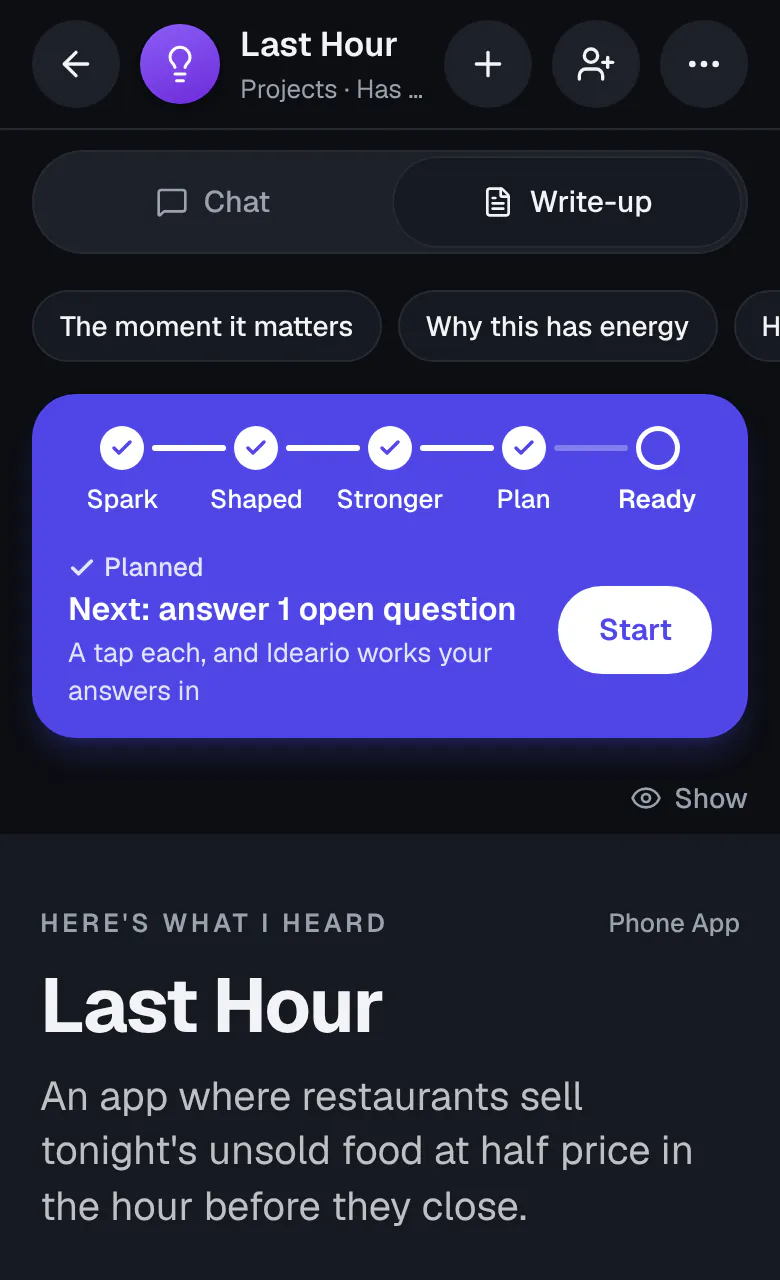
Just a spark, Taking shape, and Ready to go
Home and your ideas list say where each idea is, in three words:
- Just a spark: you've said it, and Ideario is getting the picture.
- Taking shape: it has a write-up, and you're building it up.
- Ready to go: you've marked it ready to act on.
These replace the five steps ideas used to show (Spark, Shaped, Strengthened, Planned, and Ready), so you don't need to keep track of what Strengthened or Planned meant.
The Next step card at the top of your write-up says what to do next:
- Answer its open questions. Tap Start and it takes you straight to the first one.
- Read it through. Fix anything that's off with Edit, or say more with Add to this. Tap Looks good when it reads right.
- Make it stronger. Ideario asks the questions that help your idea hold up, so you're ready for anything.
- Turn it into a plan: who it's for, costs, and first steps.
- Mark it ready when it feels right.
Steps never go backwards. New open questions can come up as the idea grows, and the card points you to them first.